


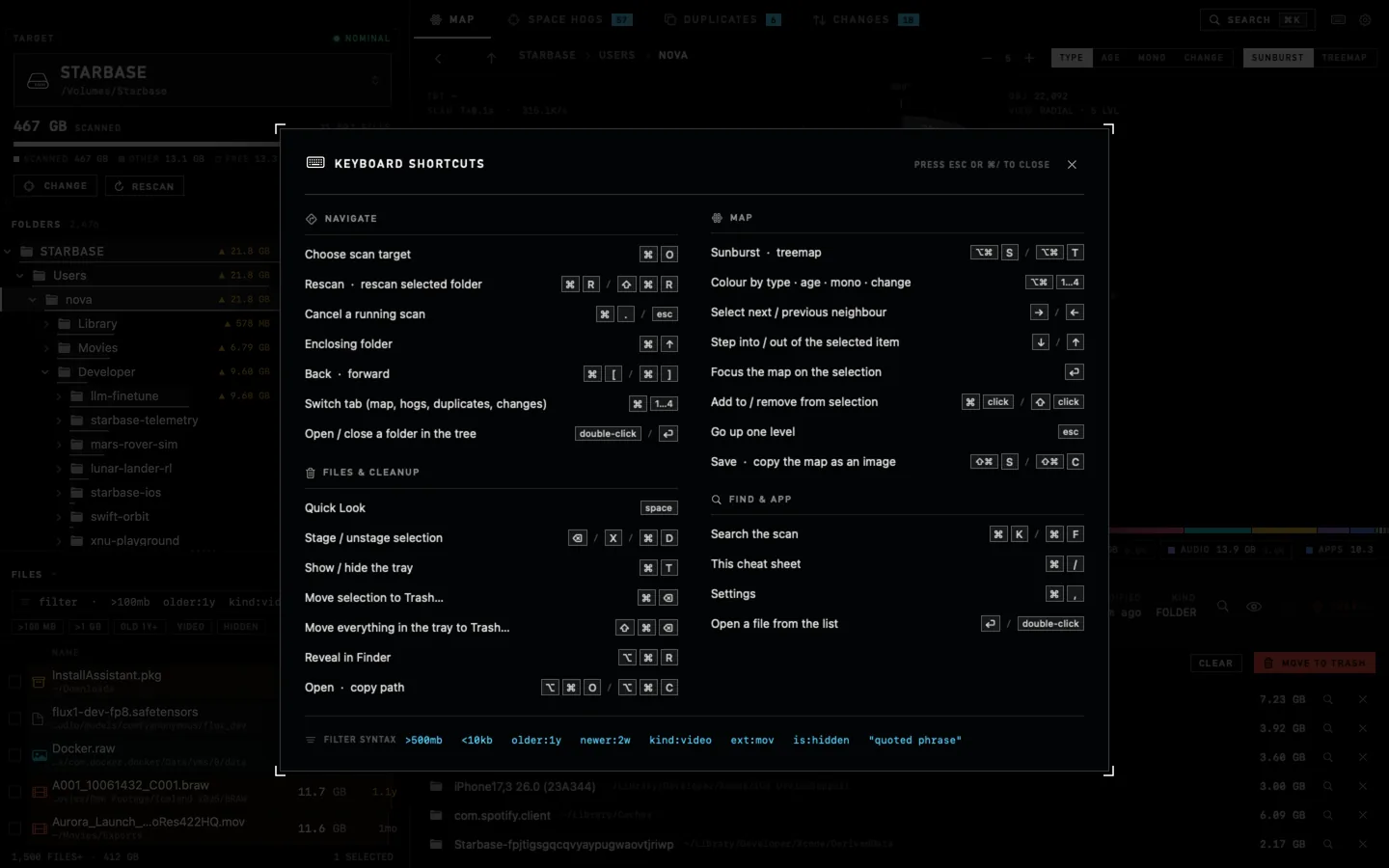
Everything has a shortcut
Press keys right now. ⌘K searches, ⌥⌘S and ⌥⌘T flip the map, Space is Quick Look, ⌘/ opens the full cheat sheet.
⌘⌥⇧⌃
KSTR1234/X
←↓↑→space⌫⏎esc
Waiting for input…
Disk space mission control/for Mac
Ullage scans a whole drive in seconds, visualizes your files and folders, and provides intelligent context for clearing.
Buy it once, keep it forever.
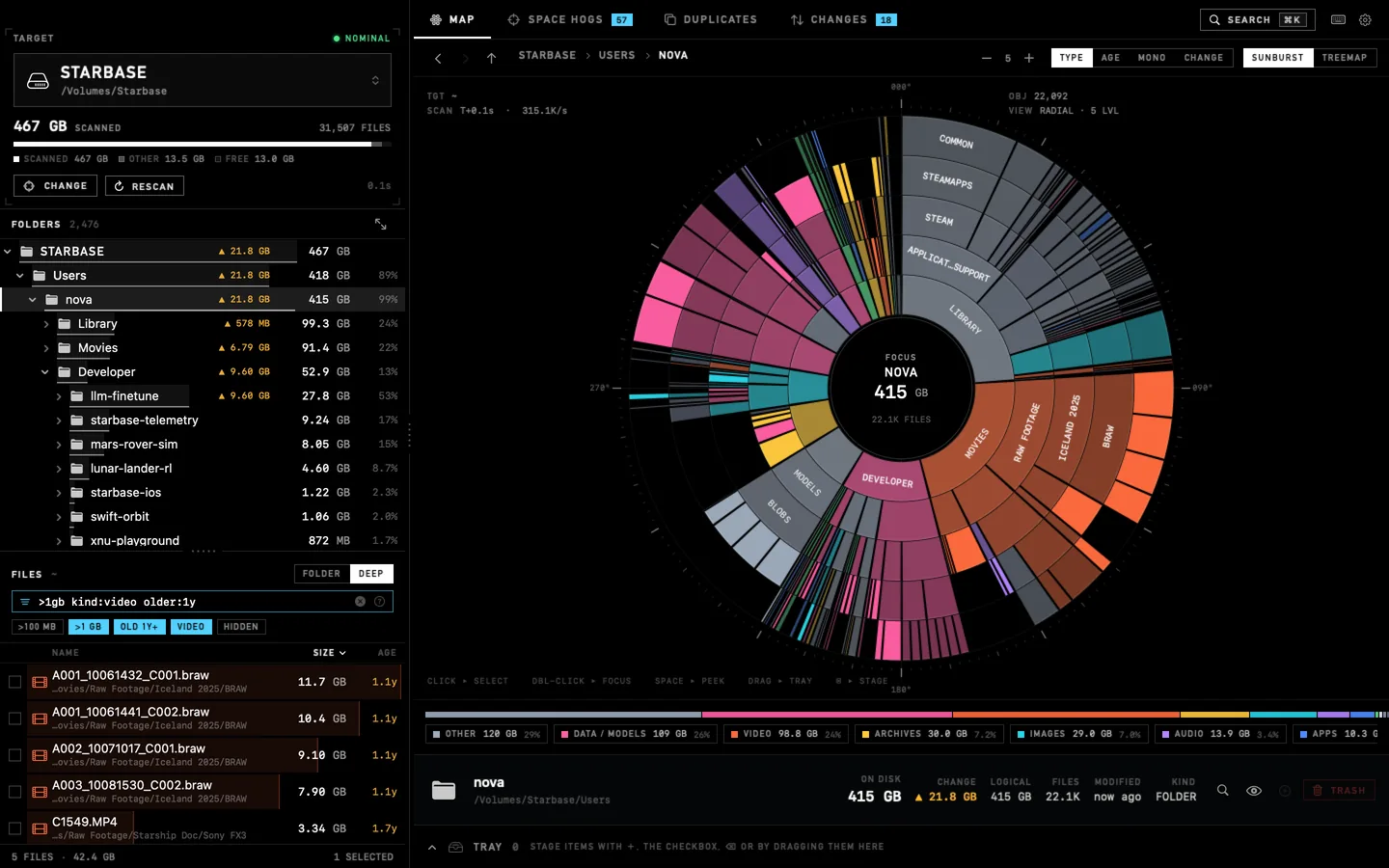
Two live maps, one disk. The sunburst and the treemap color by type, age, or what changed, and every ring and tile is navigable. Prefer a list? The folder tree and the fast filter file list are right there.
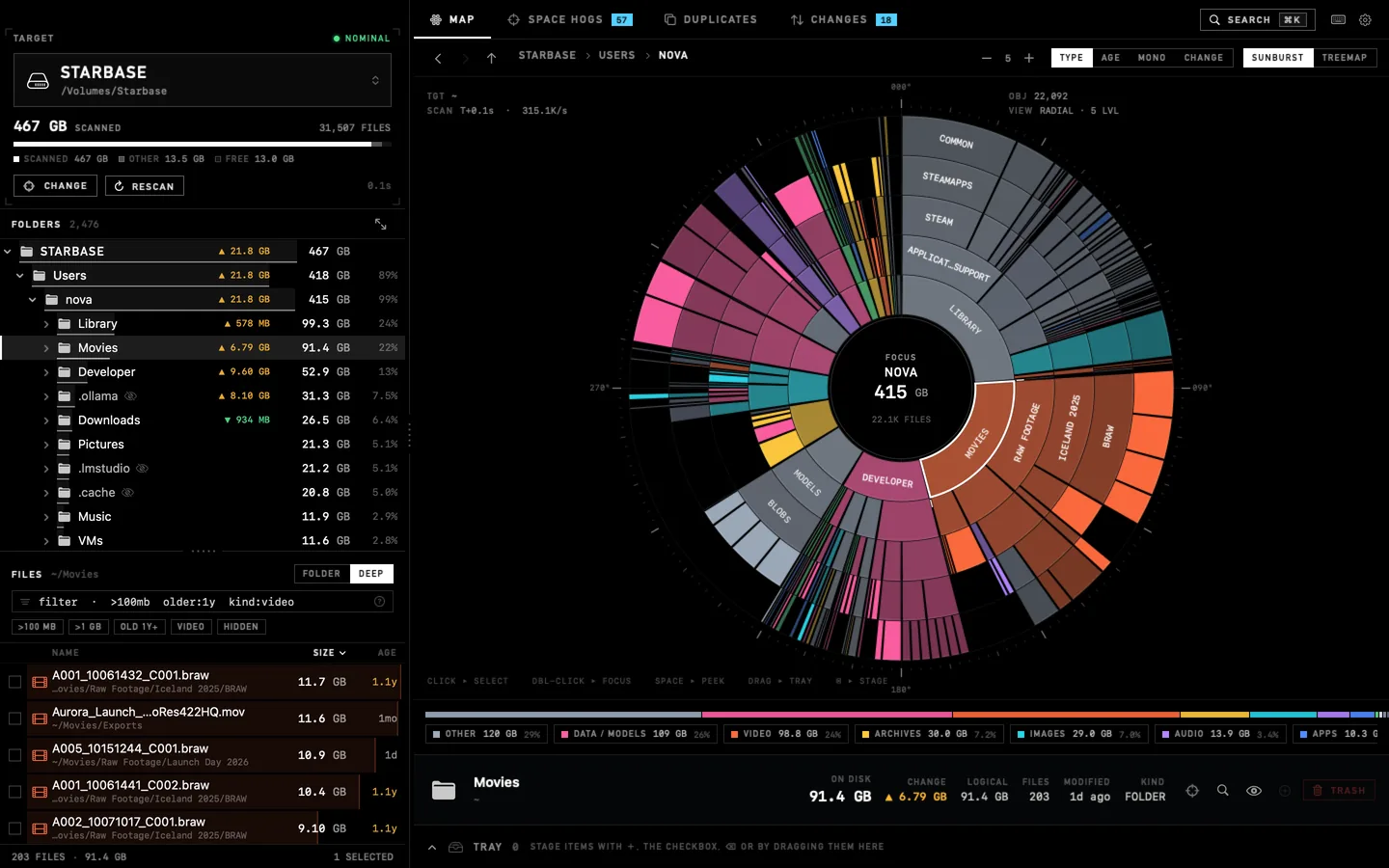
The arc and every ancestor light up; everything else dims. Hover a row in the tree or file list and the same item lights up on the map.
Click selects, ⌘-click multi-selects, double-click makes a folder the new center, and clicking the center goes back up.
Pick a type and folders glow in that color in proportion to how much of it they hold, so you can drill toward it even when the files sit deeper than the ring limit.
←→ neighbors, ↓↑ in and out, ⏎ focus, esc up. ⇧⌘S saves the map as an image.
Okay, not literally. But Ullage reads each folder in a handful of system calls and walks the whole tree on every core at once, which is fast enough to read hundreds of thousands of files every second.
By the time light reaches the Moon (1.28 s), Ullage has read about 538,000 files.
Visualizers draw in real time giving you an instant look at file lists and disk space.
A pool of worker threads walks folders in parallel and rolls sizes up the tree.
duAllocated bytes, hard links counted once, symlinks never followed, firmlinks merged, mounts skipped. Fast and correct.
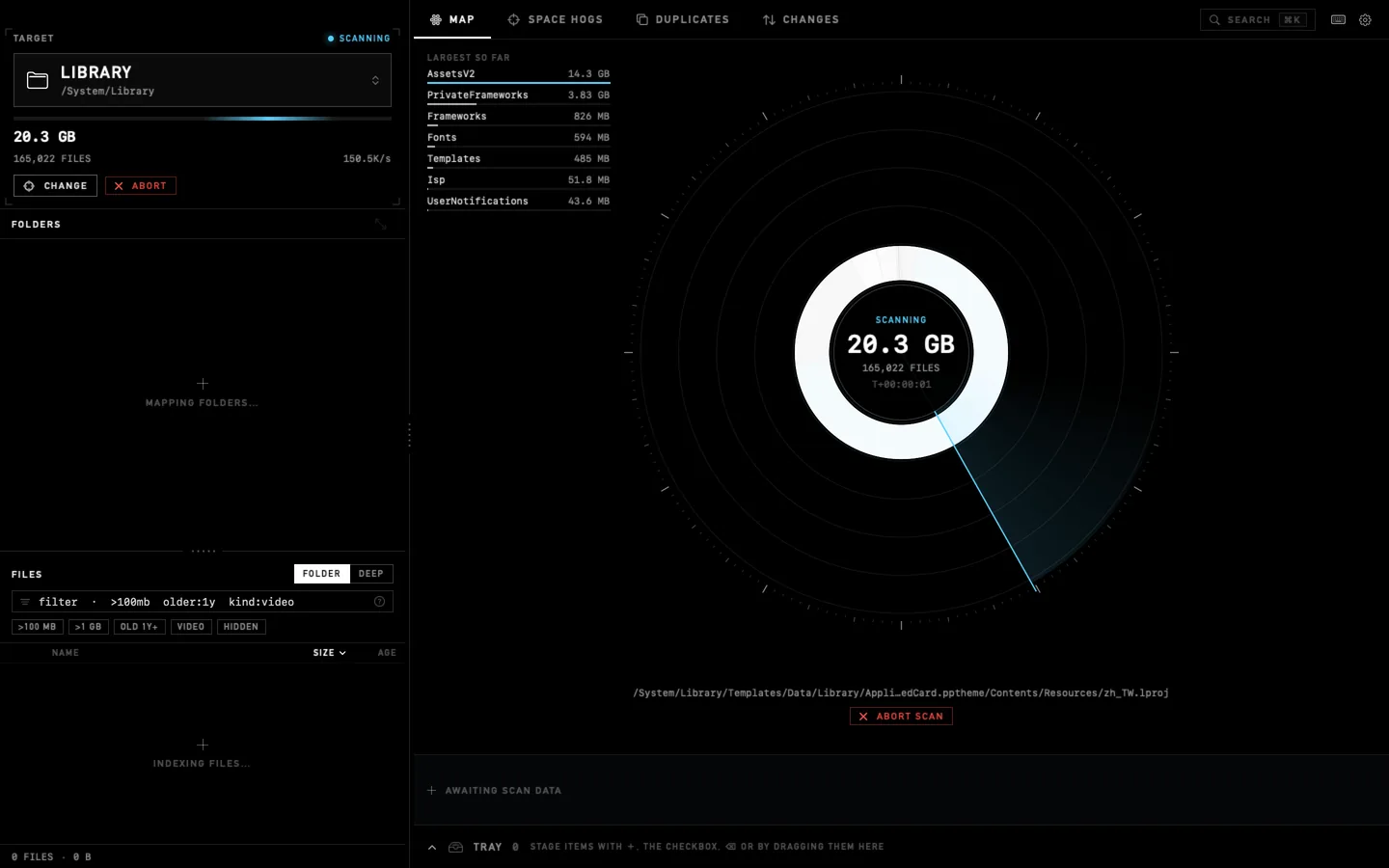
Scan a boot volume of nearly a million files in seconds. Barely sipping your system memory.
Scanning /System/Library: 149,308 files, 6.49 GB, at 141.6K files per second. The “largest so far” list fills in live, before the scan is even done.
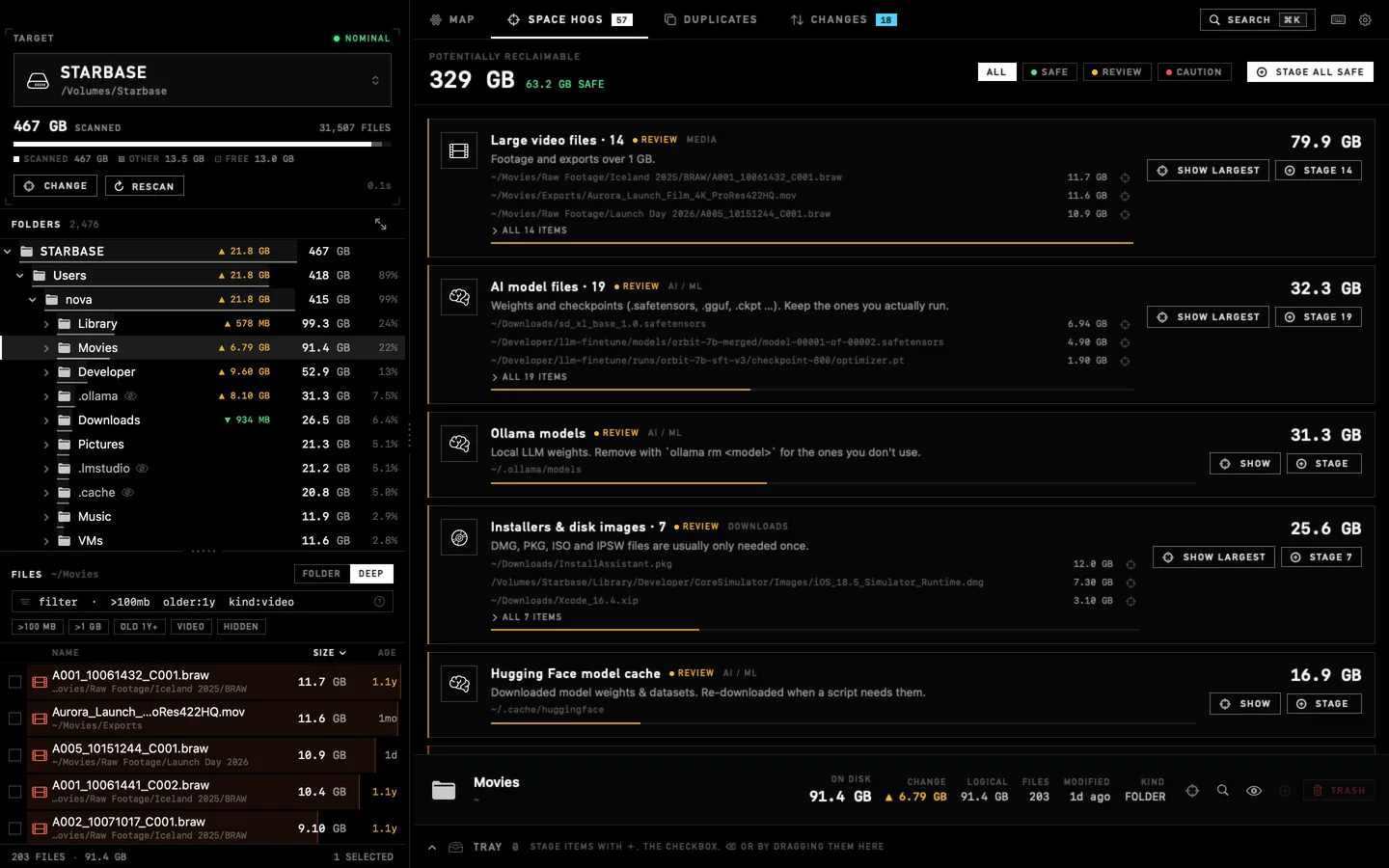
Rule-based detectors know where Macs quietly lose gigabytes. Each finding is rated Safe Review or Caution, shows exactly which folders it means, and is only a suggestion until you stage it.
↑ Live demo built from the findings Ullage produced on the Starbase drive.
A tiny query language is built into every file list and into ⌘K search. Type sizes, ages, kinds and phrases and combine them freely. Every term narrows the list; nothing is fuzzy.
>1gbbigger thanalso <10kb >=500mb · b kb mb gb tbolder:1ynot touched fornewer:2w · h d w mo ykind:datafile typevideo image audio archive app code doc data cacheext:ggufextensioncomma lists work: ext:mov,mp4is:hiddenstateis:file is:dir is:visible"final cut"exact phraseplain words match file and folder namesIn the app: >1gb kind:video older:1y in “Deep” mode finds the five old camera files eating 42 GB, wherever they hide.
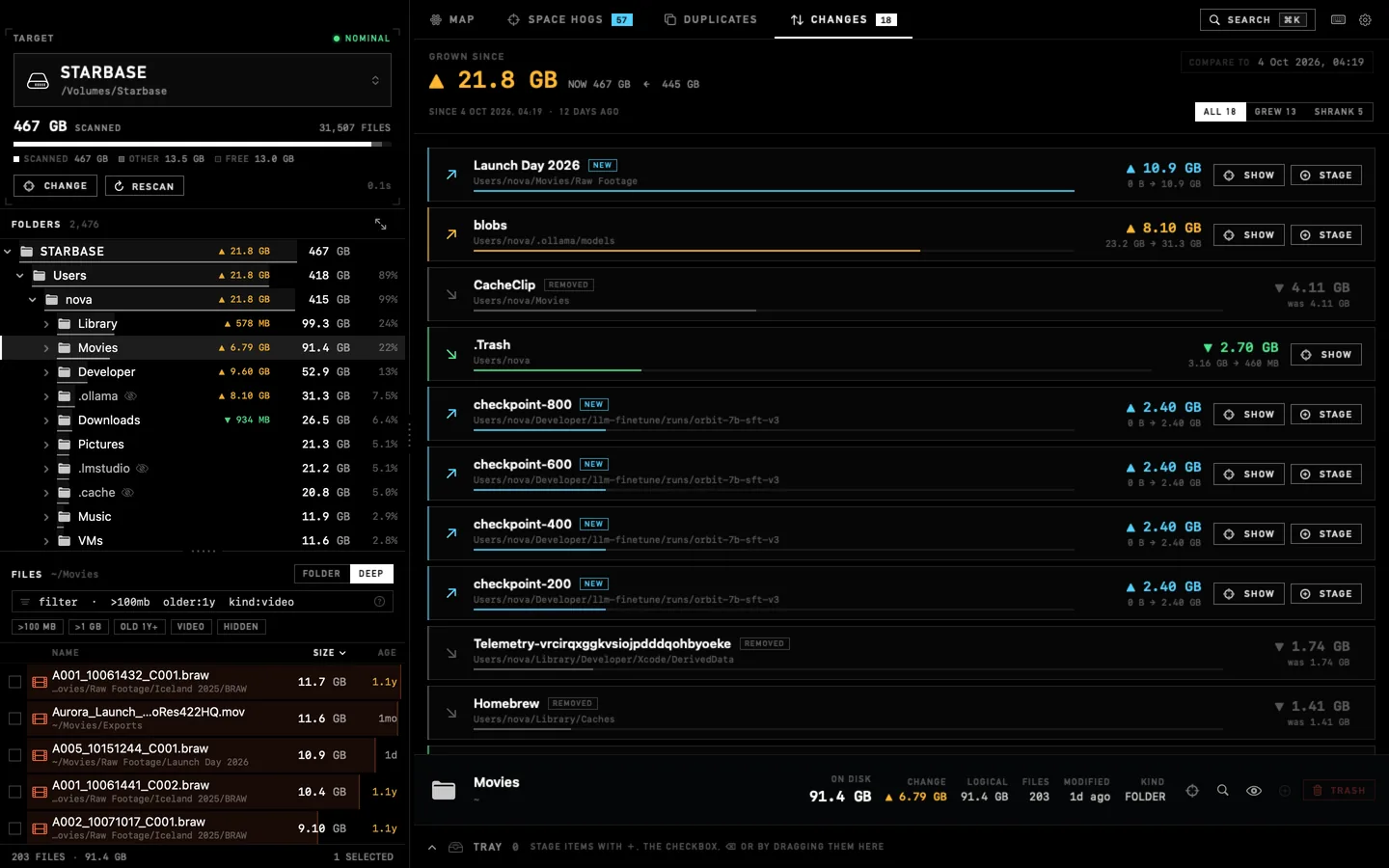
Every scan is remembered as a tiny list of folder sizes (no file names). Pick any earlier scan as a baseline and Ullage shows where the space went since: hot spots, new folders, removed folders, and the net change.
↑ Drag the marker to pick a baseline.
Changes that a bigger sub-folder doesn’t already explain, so you see the cause and not just the parent.
After a rescan, folders that grew or shrank carry a ▲ ▼ size badge right in the folder tree.
Switch the map to “Change”: growth burns red-orange, shrinkage glows green, new folders go cyan.
Ullage finds byte-for-byte copies in three passes: size, then head, middle and tail, then a full SHA-256. APFS clones are recognized, so you never chase space that can’t be freed.
↑ Press Run.
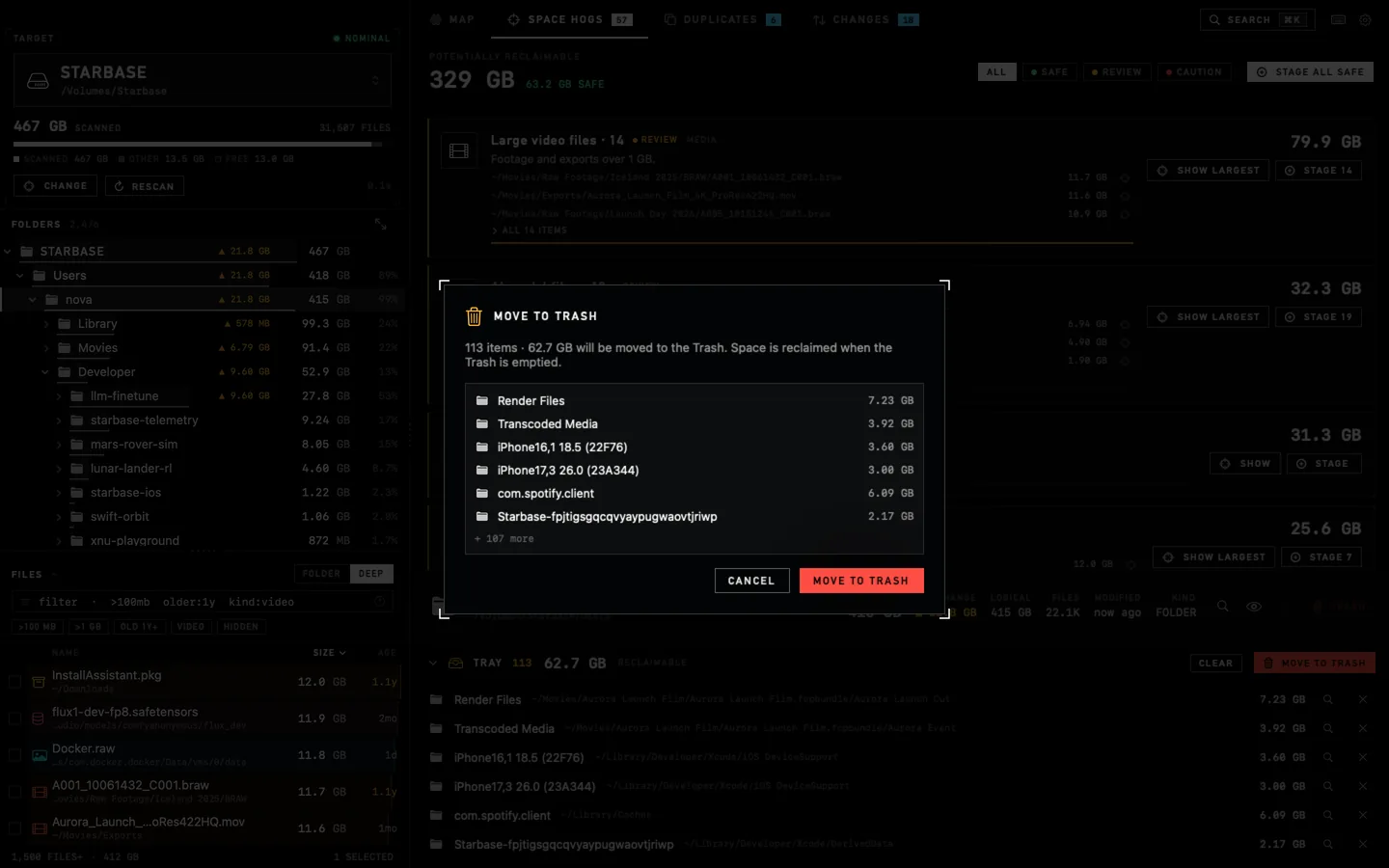
Stage from anywhere: the map, the tree, a finding, a duplicate. Review the total in the tray. Then move it to the Trash. Permanent deletion is a separate, red, always-confirmed action.
Checkbox, +, ⌫ or X, drag onto the tray, or “Stage all safe”.
The tray shows every item and the exact total before anything moves. Remove one with ✕.
One confirmation, then it all goes to the Trash. Space returns when you empty it.
/System, /Users, ~, ~/Documents…) can’t be removed as a whole. Stage the things inside.Always your approval first. Nothing moves until you confirm it, so there are no accidental deletions.
The small things are where a utility earns its keep.
Press keys right now. ⌘K searches, ⌥⌘S and ⌥⌘T flip the map, Space is Quick Look, ⌘/ opens the full cheat sheet.
Every button, chip and icon explains itself after a beat.
Hidden folders hold the biggest surprises. Scanned always, marked with an eye, isolated with one chip.
Mounted SMB, NFS and AFP shares appear as drives, tagged Network, with patient, honest waiting messages.
CAPACITY NOT REPORTED BY THE SERVER
On the window or on the Dock icon. Try it: drag the folder.
The Dock icon shows progress, and bounces when a long scan finishes.
0%Reveal, open, Quick Look, copy path, Terminal, focus the map, rescan one folder.
⇧⌘S saves a captioned PNG. ⇧⌘C copies it. CSV export for the largest files.
⌘[ ⌘] ⌘↑. Rescan only the folder you changed.
duSwiftUI and AppKit, built with the system toolchain. No Electron, no frameworks to update, nothing running in the background.
Ullage sends nothing anywhere. It makes no network connections at all, App Store interaction is handled by MacOS. No accounts, no analytics, no ads, no crash reporter. It reads file names, sizes and dates, and it keeps them on your Mac.
Hover a line.
Findings are suggestions only. Nothing is removed until you stage it and confirm, and the default is the Trash. Whole-system and whole-home locations can’t be removed at all. Each finding says what it is, how risky it is, and how it comes back (for example “Xcode regenerates this on the next build”).
Mac App Store apps run in the App Sandbox: macOS only lets them read what you hand them. The first scan of a location shows one plain-English prompt and the system folder picker. Choose the drive, press Allow access, and Ullage remembers it with a security-scoped bookmark. You can review and withdraw every allowed location in Settings.
No, it’s optional. Without it, folders macOS protects (Mail, Messages, Safari and a few more) are skipped and counted as “protected”, and Ullage says so. Grant Full Disk Access in System Settings and a rescan includes them.
Ullage has no server and is built without the network entitlement, so it has nothing to phone and nowhere to send it. It never goes online at all, your purchase is handled by MacOS and the App Store. No accounts, no analytics, no ads, no crash reporter. On the App Store it is declared as “Data Not Collected”.
Yes. Mounted SMB, NFS and AFP shares show up as drives with a NETWORK tag and are scanned after you allow them. They’re slower because the server answers each folder separately, and moving items to the Trash isn’t supported by many shares; Ullage tells you instead of failing silently.
macOS 14 Sonoma or later, on Apple silicon and Intel Macs. It is a universal app, so it runs natively on both.
ullage (UL·idge), noun: the empty space left in a tank. Rocket engineers fire small “ullage motors” to settle the fuel before the main engines start. Here it means your free disk space, which is the thing this app exists to give you more of.
Final countdown
Ullage runs on Apple Silicon and Intel Based Macs.
Buy it once, keep it forever.
macOS 14+ · Apple silicon & Intel · English
There may be more in here. Try the Konami code.
? mission hotkeys